How-to
How to Check Your PF Balance on WhatsApp: EPFO's New Service, Step by Step
EPFO now answers balance and passbook queries inside a WhatsApp chat. Here is how to use it, what it can't do yet, and how to avoid the fake numbers already circulating.

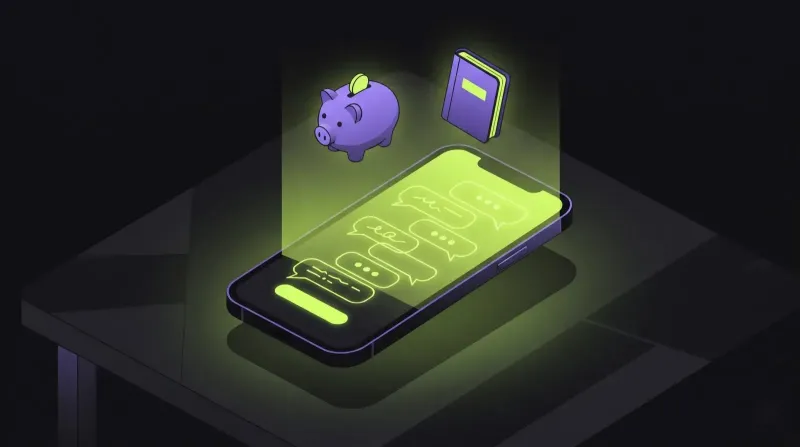
Checking your provident fund balance used to mean remembering a UAN password, waiting for the member portal to load, or installing UMANG. On 1 November 2026, at its 74th Foundation Day, EPFO launched a WhatsApp service that does the most common job, checking your balance, inside a chat.
Labour Minister Mansukh Mandaviya launched it for EPFO's more than 8 crore subscribers. Here is how to use it properly.
What you need before you start
A UAN that is activated. Your employer creates the UAN; you activate it once on the EPFO member portal.
The mobile number linked to your UAN. The service checks that your WhatsApp number matches the one on your EPFO record.
WhatsApp on that same number. If your UAN is linked to an old number, update it on the member portal first.
Step-by-step: check your PF balance on WhatsApp
Save the number. Add +91 87964 41800 to your contacts as "EPFO". Look for the verified business badge when you open the chat.
Send "Hi". Open the chat and send a simple "Hi" to start.
Choose your language. The bot offers a language menu; pick the one you prefer.
Verify with OTP. EPFO sends a one-time password to your UAN-registered mobile. Enter it in the same chat to confirm it's you.
Pick a service. Choose from the menu: check balance, view your last five transactions, or download your passbook.
Read the result. The balance usually shows the employee share and employer share separately. The employer share can look smaller than yours, because part of the employer's contribution goes to the pension scheme (EPS) rather than your PF account.
The service also offers guidance for the Pradhan Mantri Viksit Bharat Rozgar Yojana (PMVBRY), the government employment-linked incentive scheme.
About that OTP
You might wonder whether entering an OTP on WhatsApp is safe, given every fraud warning says never share OTPs. The difference is who you're giving it to. Entering an OTP inside EPFO's own verified chat, which you started yourself from the official number, is part of the login. Sharing an OTP with a person who called you, or typing it on a link someone sent, is how accounts get emptied.
A simple rule: if you didn't start the conversation with the official number, don't enter anything.
How to avoid fake EPFO numbers
As soon as a government service lands on WhatsApp, look-alike accounts follow. Some posts online are already circulating wrong numbers. Protect yourself:
Only use +91 87964 41800, or a QR code shared on EPFO's verified social media accounts.
Check for the verified business badge in the chat header.
EPFO's WhatsApp channel (for announcements) is separate from the WhatsApp service (for your account). The channel can't show your balance.
EPFO never asks for money, your UAN password, Aadhaar, PAN or bank account number over calls, SMS, WhatsApp or social media.
If someone contacts you claiming to be from EPFO and asks for any of these, ignore it and report it on EPFO's grievance portal, EPFiGMS.
Other ways to check your PF balance
If WhatsApp doesn't work for you, the older routes still do:
Missed call: Give a missed call to 99660 44425 from your UAN-registered number.
SMS: Send "EPFOHO UAN" to 77382 99899. Add a language code at the end, such as HIN for Hindi or BEN for Bengali.
Member portal and UMANG: For the full passbook history, claims and transfers, the portal and the UMANG app remain the complete options.
Bonus: small inactive accounts
Alongside the WhatsApp launch, EPFO announced automatic settlement for eligible inoperative accounts with balances up to ₹1,000. If you changed jobs years ago and left a tiny balance behind, it's worth checking your old member IDs on the portal.
Related reading: Is UPI no longer free? The 0.4% MDR rule explained
Frequently asked questions
What is the EPFO WhatsApp number?
The official number for the EPFO WhatsApp service is +91 87964 41800. Send "Hi" from your UAN-registered mobile number to start.
Can I check my PF balance on WhatsApp without a UAN?
No. The service verifies you through the mobile number linked to your UAN, so you need an activated UAN with your current number registered.
Is the EPFO WhatsApp service free?
Yes. There is no charge for checking your balance, transactions or passbook through the service.
Why does my employer share look smaller than my share?
Part of your employer's contribution goes to the Employees' Pension Scheme rather than your PF account, so the employer PF figure is usually lower than the employee figure.
Sources: EPFO's WhatsApp service launch on 1 November 2026 as reported by Zerodha Varsity, Kotak Neo, Smartprix, Analytics Insight and Beebom; fraud guidance from EPFO advisories as reported by Zee News and Ujjivan SFB; missed-call and SMS methods from EPFO's existing balance-enquiry services. Numbers and menus may change; confirm on EPFO's official website.
Further reading: Zerodha Varsity: checking PF balance on WhatsApp · Kotak Neo: EPFO WhatsApp steps
Related
Hardware
Upcoming Phones in India: December 2026 Launches to Wait For
Xiaomi 18 Pro, iQOO 16 and OnePlus 16R are the big flagships expected in India around December 2026, with Vivo X500 and Motorola Signature 27 already...

AI
ChatGPT Go Free Year Ending in India: Will You Be Charged ₹399, and How to Cancel
If you claimed free ChatGPT Go in India last year, your 12 months are ending. Here's when the ₹399 charge kicks in, how to cancel on web, Android and...
AI
Free AI Offers in India (November 2026): What Still Works and What Has Ended
Jio's free Gemini, Airtel's free Perplexity Pro and free ChatGPT Go have all closed to new users. Google's student offer is still open until 31 Decemb...
The stream
All storiesUpcoming Phones in India: December 2026 Launches to Wait For
Xiaomi 18 Pro, iQOO 16 and OnePlus 16R are the big flagships expected in India around December 2026, with Vivo X500 and Motorola Signature 27 already out. Here's what's confirmed so far.
Windows 10 ESU Now Runs to October 2027: How to Check Your PC Is Enrolled
Windows 10 Extended Security Updates for home users now last until 12 October 2027. But only enrolled PCs get them. Here's how to check, how to enroll for free, and when to plan your move.
GTA 6 PC Release Date: Everything Rockstar and Take-Two Have Actually Said
There is no official GTA 6 PC release date. Take-Two says any PC news will come from Rockstar. Based on GTA 5 and Red Dead Redemption 2, the realistic window is late 2027 to 2028.
ChatGPT Advanced Voice Is Being Retired on 11 December: What GPT-Live Changes
On 11 December 2026, ChatGPT retires Advanced and Standard voice and moves everyone to GPT-Live. Here's what GPT-Live does differently, what happens to custom GPTs and video, and your old chats.
ChatGPT Go Free Year Ending in India: Will You Be Charged ₹399, and How to Cancel
If you claimed free ChatGPT Go in India last year, your 12 months are ending. Here's when the ₹399 charge kicks in, how to cancel on web, Android and iPhone, and whether staying on Go is worth it.